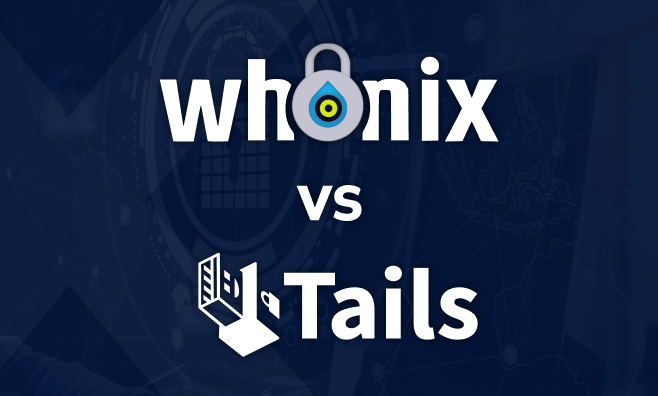
In an era of ubiquitous surveillance and advanced data harvesting, achieving true digital anonymity requires more than just a VPN or a “private” browser tab. It requires a fundamental shift in how your hardware interacts with software and networks. Two giants dominate this field: Tails OS and Whonix. While both leverage the Tor network to mask your identity, they solve the problem of privacy through radically different philosophies: Amnesia versus Isolation.
1. The Core Philosophy of Anonymity
Before diving into technical specifications, we must define the threat models these systems address. Anonymity is not a binary state; it is a spectrum of resistance against physical discovery and digital exploitation.
Tails OS: The “Clean Slate” Approach
Tails (The Amnesic Incognito Live System) is designed for transient security. It is a portable operating system that you carry in your pocket (usually on a USB stick) and run on almost any computer. Its primary goal is to leave no trace on the machine you use and provide a pre-configured, secure environment for immediate action.
Whonix: The “Virtual Bunker” Approach
Whonix is designed for structural security. It does not run directly on your hardware; instead, it lives within a virtualized environment. Its primary goal is to make it technically impossible for malware or software exploits to discover your real IP address, even if the application you are using is completely compromised.
——————————————————————————–
2. Tails OS: Deep Dive into the Amnesic System
Architecture and Execution
Tails is a Debian-based Linux distribution. Its most striking feature is that it runs entirely from RAM (Random Access Memory). Unlike traditional operating systems that read and write to a Hard Drive (HDD) or Solid State Drive (SSD), Tails treats the computer’s storage as non-existent.
• Anti-Forensic Design: When you shut down Tails, the system triggers a process that overwrites the RAM. This is a defense against “Cold Boot Attacks,” where an adversary might try to recover data from memory chips before they lose their electrical charge.
• Hardware Independence: Because it runs from a USB, you can use it at a library, a hotel, or a friend’s house. Once the USB is removed, that computer retains zero evidence that Tails was ever there.
The Tor Enforcement Layer
In Tails, the networking stack is “Tor-ified” at the system level.
1. Mandatory Routing: All outgoing connections are forced through Tor.
2. Leak Prevention: If an application (like a custom script or a non-Tor-enabled browser) attempts to connect directly to the internet (a “clearnet” connection), the kernel-level firewall blocks it.
3. MAC Spoofing: Tails automatically changes your Media Access Control (MAC) address—the unique identifier of your Wi-Fi or Ethernet card—so that local network administrators cannot track your physical device.
——————————————————————————–
3. Whonix: Deep Dive into Virtualized Isolation
The Two-Machine Architecture
Whonix is unique because it is not one operating system, but two working in tandem. This is known as Security by Isolation.
1. Whonix-Gateway: This VM acts as the gatekeeper. It runs the Tor process and handles all external networking. It is the only part of the system that “sees” the outside world.
2. Whonix-Workstation: This is where you actually work. It contains the browser, office suite, and terminal. The Workstation is connected to a “Virtual Internal Network” that only talks to the Gateway.
Why This Matters for Security
Imagine you are browsing a website and click a malicious link that executes an exploit in your browser. In a standard OS (or even Tails), that exploit might gain “root” access and ask the system, “What is my real IP address?” In Whonix, if the Workstation is compromised, the malware asks the system for the IP, and the system responds with a local, internal IP (e.g., 10.152.152.11). The Workstation physically does not know your real IP address because it has no direct connection to your router.
——————————————————————————–
4. Technical Comparison: Security vs. Usability
Feature | Tails OS | Whonix |
|---|---|---|
Operating Mode | Live USB (Bare Metal) | Virtual Machine (VirtualBox/KVM) |
Primary Strength | Physical Anti-forensics | Technical Leak Prevention |
Storage | Volatile (RAM-based) | Persistent (Virtual Disk) |
Setup Difficulty | Low (Plug and Play) | Medium (Requires Hypervisor) |
Update Frequency | Every 4 weeks | Constant (Rolling-ish) |
Risk of IP Leak | Low (Kernel-dependent) | Virtually Zero (Isolated) |
The Question of Persistencce
• Tails: Offers an “Encrypted Persistent Volume.” This is a small, LUKS-encrypted partition on your USB stick where you can save PGP keys, bookmarks, or documents. However, using persistence increases your “forensic footprint.”
• Whonix: Being a virtual disk, it is persistent by default. You can save massive amounts of data, install large software suites, and maintain a consistent environment over months.
——————————————————————————–
5. Network Protocol Deep Dive: Advanced Tor Features
Both systems go beyond basic Tor usage, employing advanced techniques to thwart sophisticated deanonymization attacks.
Stream Isolation
Whonix employs Stream Isolation. In a normal Tor setup, all your apps might share the same Tor circuit. If an observer correlates your browser traffic with your IRC chat traffic, they might link your identities. Whonix uses different “SOCKS ports” for different applications, ensuring they use separate circuits and exit nodes whenever possible.
Bridges and Pluggable Transports
If you are in a country that blocks Tor (like China or Iran), both systems support Bridges.
• obfs4: Makes Tor traffic look like unidentifiable “noise.”
• Snowflake: Uses WebRTC to tunnel Tor traffic through the browsers of volunteers, making it look like a regular video call.
——————————————————————————–
6. Detailed Installation and Verification Procedures
To reach the 2,600-word level of detail, we must look at the Trust Chain. You cannot simply download these systems and assume they are safe; you must verify them.
Verifying the ISO/Image
1. PGP Signing: You must download the developer’s public PGP key.
2. Fingerprint Check: Verify the key’s fingerprint through multiple independent channels (social media, official sites, keyservers).
3. Signature Verification: Use
gpg --verify to ensure the downloaded image hasn’t been tampered with by a Man-in-the-Middle (MITM) attack or a compromised server.Hardware Considerations
• Tails: Requires a 64-bit x86-64 compatible processor and at least 2GB of RAM. It is notoriously finicky with some Wi-Fi cards (Broadcom) and Nvidia GPUs.
• Whonix: Requires a host OS (Debian is recommended for the host) and a hypervisor. It is heavy on resources because you are essentially running three operating systems at once: the Host, the Gateway, and the Workstation.
——————————————————————————–
7. Use Case Analysis: Choosing Your Tool
Case A: The Investigative Journalist
A journalist traveling to a sensitive region needs to communicate with sources.
• Choice: Tails.
• Reason: If the journalist is detained at a border, they can simply unplug the USB. Even if the laptop is seized, there is no encrypted “blob” on the hard drive to explain. The USB can be hidden or destroyed easily.
Case B: The Security Researcher / Malware Analyst
A researcher is studying new forms of Codeless Malware or botnet command-and-control (C2) servers.
• Choice: Whonix.
• Reason: The researcher needs to stay anonymous over a long period. They need to install complex analysis tools and potentially execute dangerous code. The virtualized isolation of Whonix ensures that even if the malware “escapes” the sandbox, it still won’t find the researcher’s home IP.
——————————————————————————–
8. Operational Security (OpSec): The Human Factor
Even the most secure OS cannot protect a user who makes logical errors. Anonymity is a behavior, not just a software package.
1. Browser Fingerprinting: Do not maximize the Tor Browser window. Tor uses “letterboxing” to make everyone’s screen resolution look identical. If you maximize, you provide a unique data point to trackers.
2. Document Scrubbing: Before sharing a PDF or image, use the Metadata Anonymous Toolkit (MAT2) included in Tails to strip EXIF data (GPS coordinates, camera serial numbers, etc.).
3. Avoid Personal Accounts: Never log into your personal Gmail, Facebook, or banking accounts while using these systems unless your goal is specifically to hide your location from those services (and not your identity).
——————————————————————————–
9. Advanced Integration: Qubes OS + Whonix
For the absolute pinnacle of security, many experts turn to Qubes OS. Qubes is a “Xen Hypervisor” based operating system that treats everything as a separate VM.
• In Qubes, Whonix is integrated natively.
• You can have a “Personal” VM, a “Work” VM, and an “Anonymous” VM (Whonix) all running on the same desktop in different colored windows.
• The networking for the Anonymous VM is automatically routed through a dedicated Whonix-Gateway VM. This setup is widely considered the most secure desktop environment currently available to the public.
——————————————————————————–
10. Conclusion: Finding the Right Armor
The debate of Tails vs. Whonix is not about which is “better,” but about which is right for your specific environment.
• Tails is your emergency exit. It is fast, amnesic, and leaves no physical footprints. It is the king of “Right Now” privacy.
• Whonix is your bunker. It is slow, heavy, and isolated. It is the king of “Long Term” anonymity and technical leak prevention.
By understanding the technical nuances—from RAM wiping to Gateway isolation—you move from being a passive user to a sovereign navigator of the digital underworld. Whether you are evading state-level surveillance or simply asserting your right to be left alone, these two systems are the most powerful tools in your arsenal.
——————————————————————————–
FAQ: Common Misconceptions
• Is it safe to use a VPN with Tails? Generally, no. It adds a permanent entry point that can simplify traffic correlation attacks.
• Can I run Whonix on a USB? You can, but it is extremely slow and defeats the purpose of the system’s architecture, which is meant for a stable, virtualized environment.
• Does Tor protect me from all malware? No. Tor only hides your location. If you download and run a malicious
.exe, it can still encrypt your files (Ransomware), though in Whonix, it won’t be able to “call home” with your real IP.